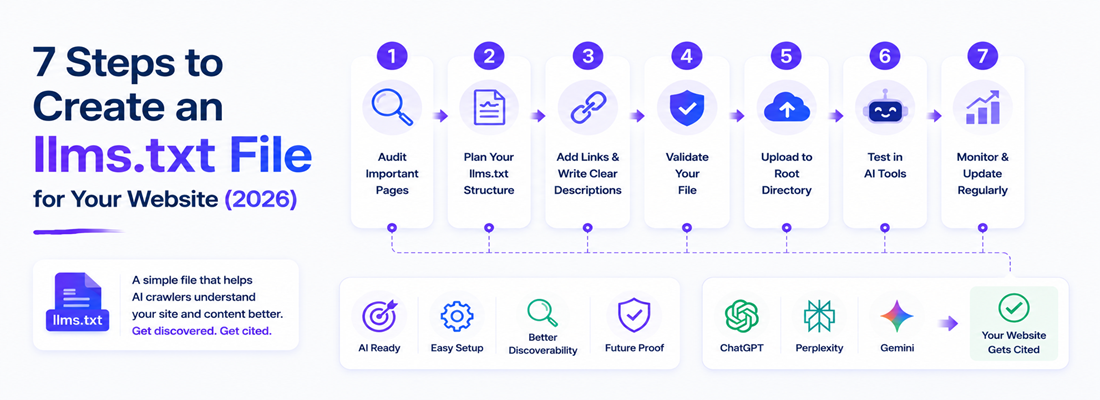
An llms.txt file is a plain-text markdown file placed at yourdomain.com/llms.txt that gives AI crawlers like ChatGPT, Perplexity, and Gemini a curated, easy-to-parse map of your most important content. It helps large language models understand what your site is about and which pages to prioritize when generating answers.
AI crawlers from ChatGPT, Perplexity, and Gemini now visit most active websites daily, quietly reading pages to decide what’s worth citing in their answers. Yet most sites still hand these crawlers nothing built for the job.
You’ve almost certainly got a robots.txt file guiding search engine bots, and probably a sitemap.xml listing every URL you own, but chances are you have no equivalent file speaking directly to AI models, the very systems now deciding whether your brand gets mentioned at all when a customer asks a question.
That gap is exactly what llms.txt was created to close. In this guide, you’ll get a clear seven-step process for building your own llms.txt file from scratch, an explanation of how it differs from the crawler files you already know, a ready-to-copy template, and the common mistakes that quietly make llms.txt files useless.
Whether you’re a developer implementing this for the first time, a marketer trying to understand what your dev team is being asked to build, or part of an SEO team rolling this out across multiple client sites, you’ll walk away with everything you need to publish a working file today, without needing to hire outside help or wait on a formal technical roadmap.
Want More Traffic and Better Rankings?
Reach more customers, improve search visibility, & build a strong online presence with a clear SEO strategy.

What is an llms.txt File?
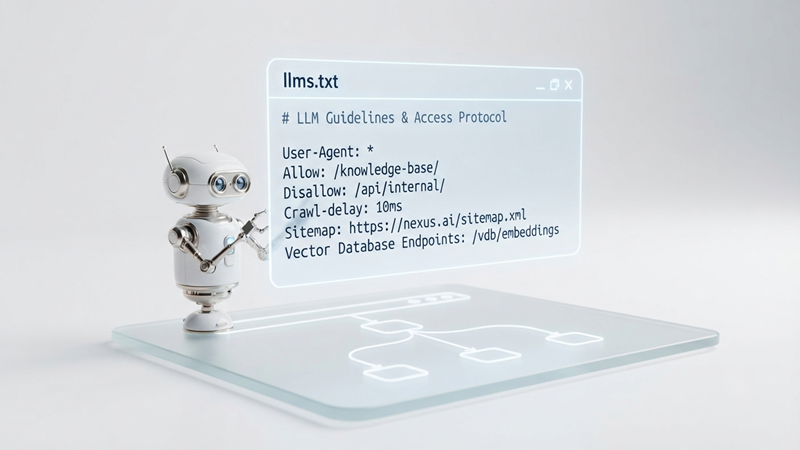
An llms.txt file is a plain Markdown document hosted at the root of your domain “yourdomain.com/llms.txt” written specifically to help AI crawlers and large language models understand your site’s structure and content. Unlike robots.txt, which tells bots what they’re allowed to crawl, llms.txt actively guides AI systems toward your most valuable pages, summarizing what each one covers in a format optimized for machine reading rather than human browsing. It’s less a set of rules and more a curated table of contents built for a different kind of reader.
The concept emerged from a simple observation: markdown is the format large language models are trained on most heavily and parse most reliably, so a file written in clean markdown, sitting exactly where a bot would expect to find it, gives AI systems a shortcut past the noisy HTML, JavaScript, and layout clutter that make up most modern webpages.
Why Does Your Website Need an llms.txt File in 2026?
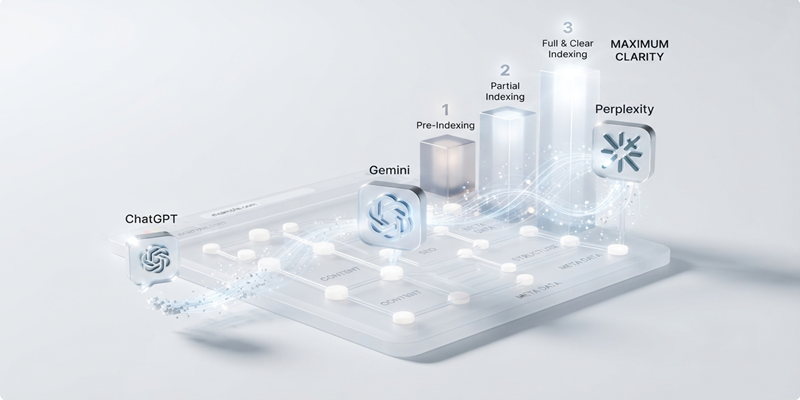
Direct answer: Your website needs an llms.txt file because AI engines increasingly decide what to cite based on how easily they can parse and trust your content, and an unguided crawl often misses your best pages entirely.
Without llms.txt, AI crawlers are left to interpret your site the hard way, wading through navigation menus, cookie banners, sidebar widgets, and unrelated blog posts to figure out what actually matters. This increases the odds that outdated pages, thin content, or irrelevant sections get pulled into an AI-generated answer instead of your strongest, most authoritative resources.
It also means AI models may form an incomplete or outdated picture of your brand, simply because they never found your best content in the first place, potentially describing your offerings inaccurately to a prospective customer who never even visits your site directly.
As more of Generative Engine Optimization becomes about being cited rather than simply ranked, giving AI models a clear, curated entry point is quickly becoming as standard a practice as having a sitemap. Sites that adopt it early aren’t guaranteed citations, but they remove one of the biggest barriers standing between their content and an AI-generated answer.
There’s also a competitive angle worth considering. Adoption of llms.txt is still uneven across most industries, which means the sites that publish a clean, well-structured file today have a genuine first-mover advantage over competitors who haven’t gotten around to it yet.
As AI platforms refine how they weigh these files over the coming months, early adopters are more likely to already have a mature, well-tested file in place rather than scrambling to catch up once it becomes an expected standard.
llms.txt vs robots.txt vs sitemap.xml
These three files often get confused because they all live at the root of a domain and serve crawlers, but each has a distinct job in how bots interact with your site.
| llms.txt | robots.txt | sitemap.xml | |
|---|---|---|---|
| Audience | AI/LLM crawlers | All web crawlers | Search engine crawlers |
| Purpose | Curated guide to key content | Access permissions/restrictions | Full list of indexable URLs |
| Format | Markdown, human- and machine-readable | Plain text directives | XML |
| Content | Summaries, links, context | Allow/disallow rules | URLs, metadata, priority |
| Curation level | Highly curated, selective | Not applicable | Comprehensive, near-total |
In one line: robots.txt controls access, sitemap.xml lists everything, and llms.txt curates what matters most for AI understanding.
7 Best Steps to Create an llms.txt File
1. Audit Your Important Pages

Start by identifying the pages that genuinely represent your site’s value pillar content, service pages, product categories, and high-authority guides. Pull a list from your CMS or analytics tool and rank pages by traffic, conversion value, and topical importance.
Skip thin or duplicate pages; llms.txt works best as a curated shortlist, not a full site export, so resist the temptation to include everything just because it exists. A useful benchmark is to imagine explaining your site to a new hire in five minutes. The pages you’d point them to first are almost always the right ones to include here.
2. Pick the Markdown Structure
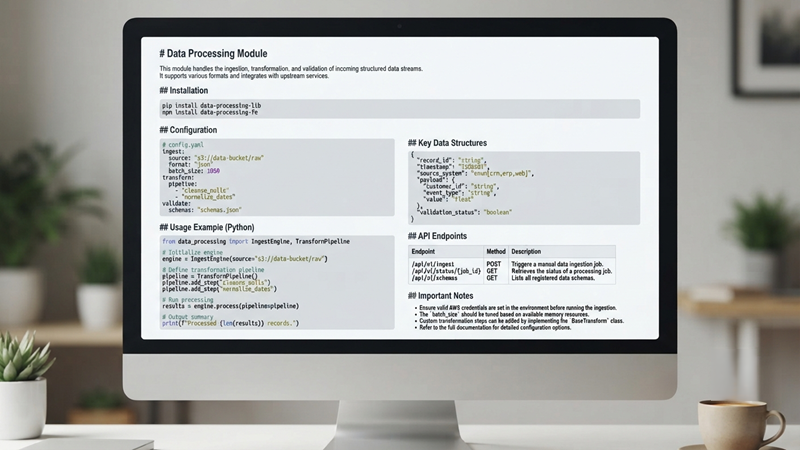
llms.txt follows a simple, standardized markdown format: an H1 title with your site or company name, a summary blockquote describing what you do, and then H2-organized sections listing links with brief descriptions. Decide on your section categories before writing.
Common groupings include Docs, Guides, Products, and About, so your file reads as an organized directory rather than a random list of links. Keeping the structure consistent also makes future updates far easier, since you’ll always know exactly where a new page or product should be added.
3. List Core Pages With Context
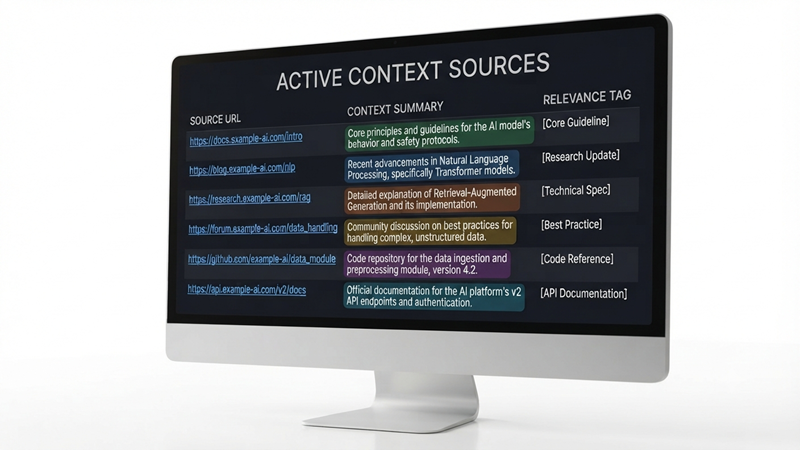
Under each H2 section, add markdown links to your chosen pages, followed by a one-line description of what each page covers. Write these descriptions the way you’d explain the page to a colleague who has never seen your site, clear, factual, and free of marketing fluff.
AI models rely on this text to decide relevance, so vague phrases like “learn more” or “click here” waste the opportunity entirely, while specific, descriptive language gives the model exactly the context it needs to match your page to a relevant user query.
4. Add an Optional llms-full.txt
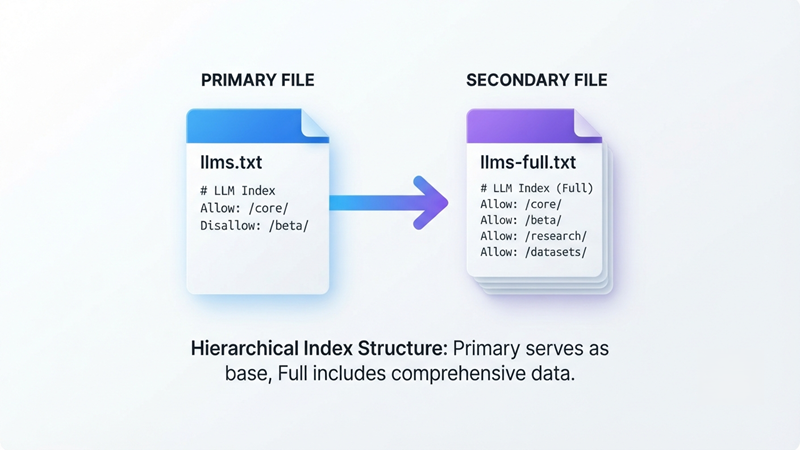
For larger sites, consider a companion llms-full.txt file containing the complete, unabridged content of your key pages in one place. This gives AI models a deeper, single-file resource to pull from when a quick summary isn’t enough context to answer a detailed query accurately.
It’s optional, but especially useful for documentation-heavy sites, SaaS products, or knowledge bases with long-form technical content, where the difference between a one-line summary and the full page content genuinely changes how well a model can answer a nuanced, technical question.
5. Validate the Formatting

Check that your file is clean Markdown correct heading levels, working links, consistent spacing, and no broken syntax. Run it through a markdown linter or preview tool before publishing, and have a second team member review it if possible.
Malformed files risk being skipped or misread by crawlers entirely, which defeats the purpose of creating one in the first place, so this step is worth the extra few minutes it takes.
6. Upload to Your Root Domain
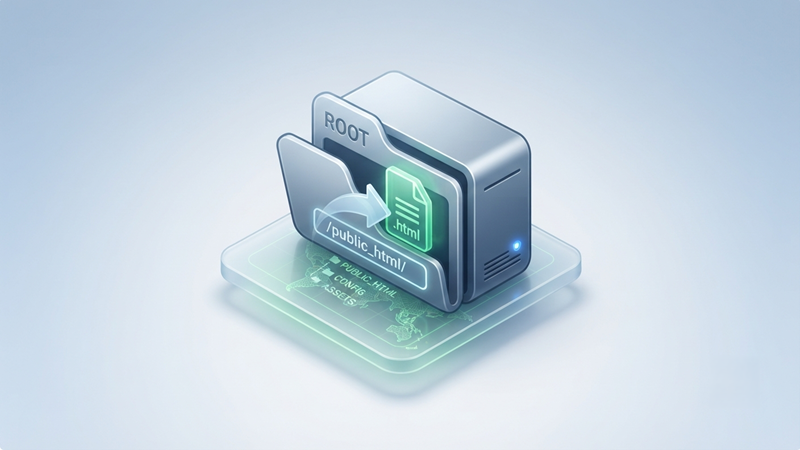
Place the finished file at yourdomain.com/llms.txt, exactly as you would with robots.txt. It needs to sit at the true root of your domain, not inside a subfolder or behind a redirect, for crawlers to reliably find it using the standard convention that’s emerging around this file type.
Confirm it’s publicly accessible, returns a 200-status code, and loads correctly in a plain browser tab once it’s live.
7. Test With AI Crawlers and Monitor Citations

Ask ChatGPT, Perplexity, and Gemini questions related to your business to see whether your content starts appearing in their answers, and track any shift in how your brand is described.
Recheck periodically, since citation behavior shifts as models update and as your file evolves alongside new content, product launches, or restructured pages on your site. Keeping a simple log of test queries and results over time makes it much easier to tell whether changes to your llms.txt file are actually moving the needle.
llms.txt Example Template
| # Your Company Name > One or two sentences describing what your company does and who it serves. ## Docs – [Getting Started](https://yourdomain.com/docs/getting-started): Overview of core setup steps. – [API Reference](https://yourdomain.com/docs/api): Full endpoint documentation. ## Guides – [Beginner’s Guide to GEO](https://yourdomain.com/generative-engine-optimization-guide): Introduction to Generative Engine Optimization. – [AI Search Optimization Services](https://yourdomain.com/services/ai-search-optimization): Overview of our AI visibility services. ## Products – [Product Overview](https://yourdomain.com/products): Summary of core offerings and use cases. ## About – [About Us](https://yourdomain.com/about): Company background, mission, and team. – [Contact](https://yourdomain.com/contact): How to reach our team. |
Copy this structure directly, then swap in your own sections, links, and descriptions. Keep each description under one line so the file stays scannable for both AI crawlers and any human reviewing it later.
If your site spans multiple product lines or service categories, feel free to add extra H2 sections beyond the ones shown here. The format is flexible as long as the hierarchy stays clean and each link is paired with a short, factual description.
Common Mistakes When Creating llms.txt
Listing every page on the site
This defeats the purpose of curation; keep it focused on your best, most representative content only.
Using vague, marketing-heavy descriptions
Phrases like “the best solution for your needs” tell an AI model nothing useful; write plain, factual summaries instead.
Placing the file in the wrong directory
It must live at the true root of your domain, not a subfolder, or crawlers may never find it.
Forgetting to update it after major site changes
Stale or dead links quietly reduce crawler trust in the file over time.
Skipping formatting validation
Broken markdown or malformed headings can cause the entire file to be ignored rather than partially read.
Treating it as a one-time task
Llms.txt needs periodic review as your content evolves, not a single setup-and-forget deployment.
Writing descriptions aimed at humans instead of machines
Overly stylized or clever copy can obscure the plain factual meaning an AI model needs to extract accurately.
Ignoring regional or subdomain versions of the site
If you run separate domains or subdomains for different markets, each one may need its own tailored llms.txt file.
Not assigning clear ownership
Without a designated owner on the marketing or dev team, llms.txt often gets published once and then quietly forgotten as the rest of the site keeps changing around it.
Where Does This Fit Into AI Search Optimization Services?
Digital Dot Agency sets up and maintains llms.txt files as part of its broader AI search optimization services, alongside schema markup, content structuring, and ongoing AI citation tracking for clients across a range of industries and site sizes.
Conclusion
An llms.txt file gives AI crawlers a clear, curated map of your most valuable content, closing the gap left by robots.txt and sitemap.xml, which were never designed with large language models in mind. Put simply: an llms.txt file is a plain-text markdown file at yourdomain.com/llms.txt that helps AI engines like ChatGPT, Perplexity, and Gemini understand and cite your site’s best content.
Building one takes a single afternoon following the seven steps above; the payoff is a real shot at visibility in the answers your customers are increasingly relying on instead of traditional search results.
As AI search continues to reshape how people find businesses online, treating this file as a standard part of your technical setup, reviewed and updated just like your sitemap, will keep your content in a strong position to be found and cited.
FREQUENTLY ASKED QUESTIONS
No, llms.txt does not directly affect Google’s traditional search rankings, since Google Search doesn’t currently use it as a ranking signal. Its value lies in improving visibility within AI-generated answers from tools like ChatGPT, Perplexity, and Gemini instead of the classic search results page.
Support varies by platform and continues to evolve, with some AI crawlers actively referencing llms.txt while others still rely primarily on standard web crawling methods. Adding the file costs little effort, takes only a few hours to set up correctly, and positions your site to benefit further as adoption across AI platforms continues to grow throughout 2026.
No, llms.txt is not a mandatory or officially enforced web standard, unlike robots.txt, and no major AI platform currently requires it for a site to be crawled or referenced. It’s an emerging convention that AI-focused teams are adopting proactively to improve how large language models interpret, understand, and cite their content going forward.
An AI SEO company should include its core service pages, pillar guides, case studies, and any proprietary research or data, along with clear descriptions of its methodology and areas of specialization. This helps AI models accurately represent their expertise and services when answering related industry queries from prospective clients.
Yes, an agency’s llms.txt typically highlights service pages, case studies, and thought-leadership content, while an ecommerce site’s file focuses on product categories, key collections, shipping policies, and return pages instead. The underlying markdown structure stays the same across both; only the content priorities shift based on business type and customer intent.
Update llms.txt whenever you publish major new content, restructure key pages, launch new products, or discontinue old ones, typically every one to three months for active, regularly updated sites. Treat it as a living file that reflects your current best content, not a static one-time setup you configure once and never revisit.